Everything your practice runs on.
Scheduling, client records, charting, consent, selling and paying your team, built to fit how your practice already works.
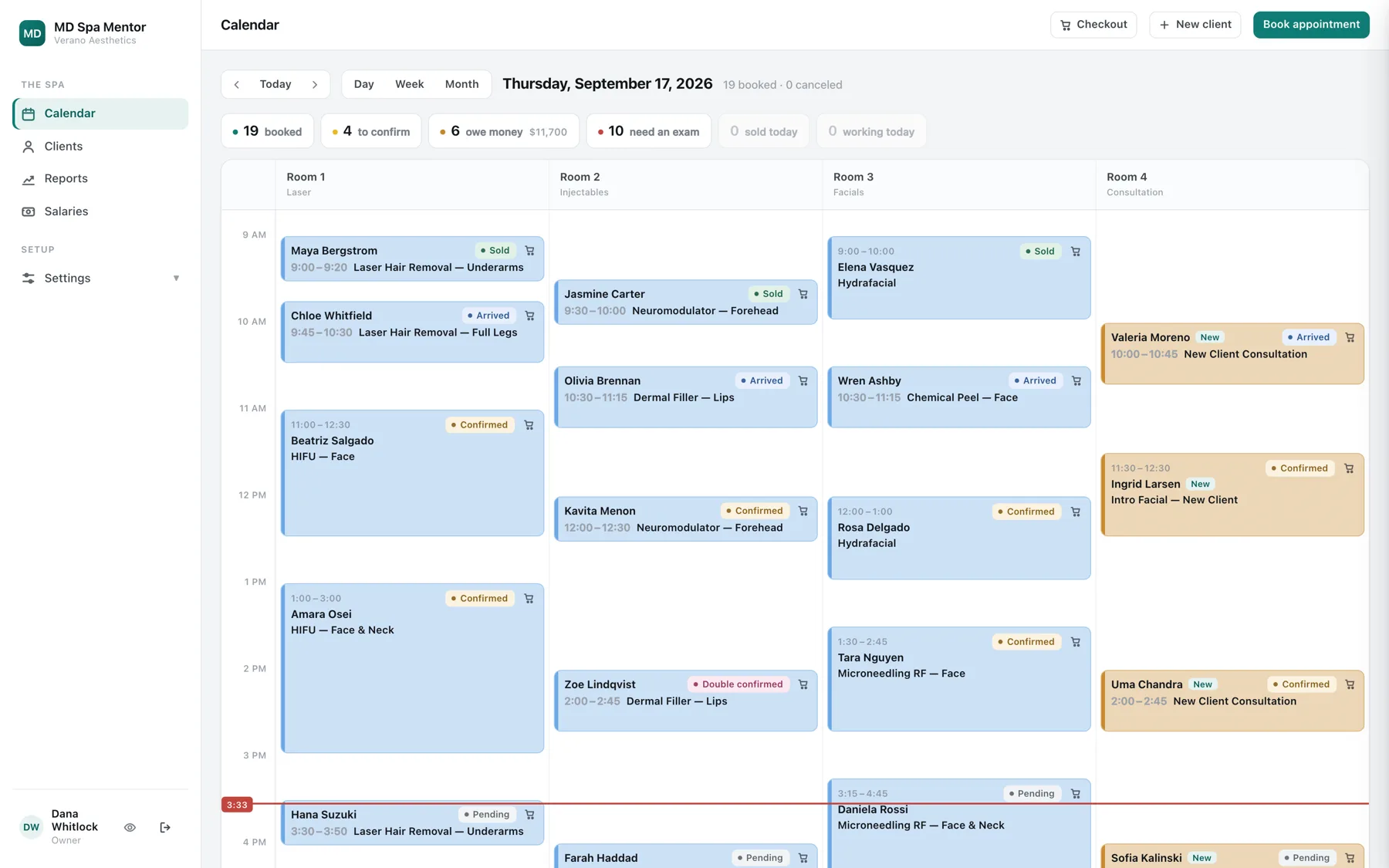
See the whole day at a glance.
By room and by day, because a treatment room is a place and not a person. Color says new or returning. The status says the rest, in words.
- Every booking shows who, when and what treatment
- Color means new versus returning, and never means status
- A warning flags an off-grid time or a double booking, and still lets you book it
- The strip above the day carries only what your role acts on
- No status is ever abbreviated. If a label does not fit, the column grows
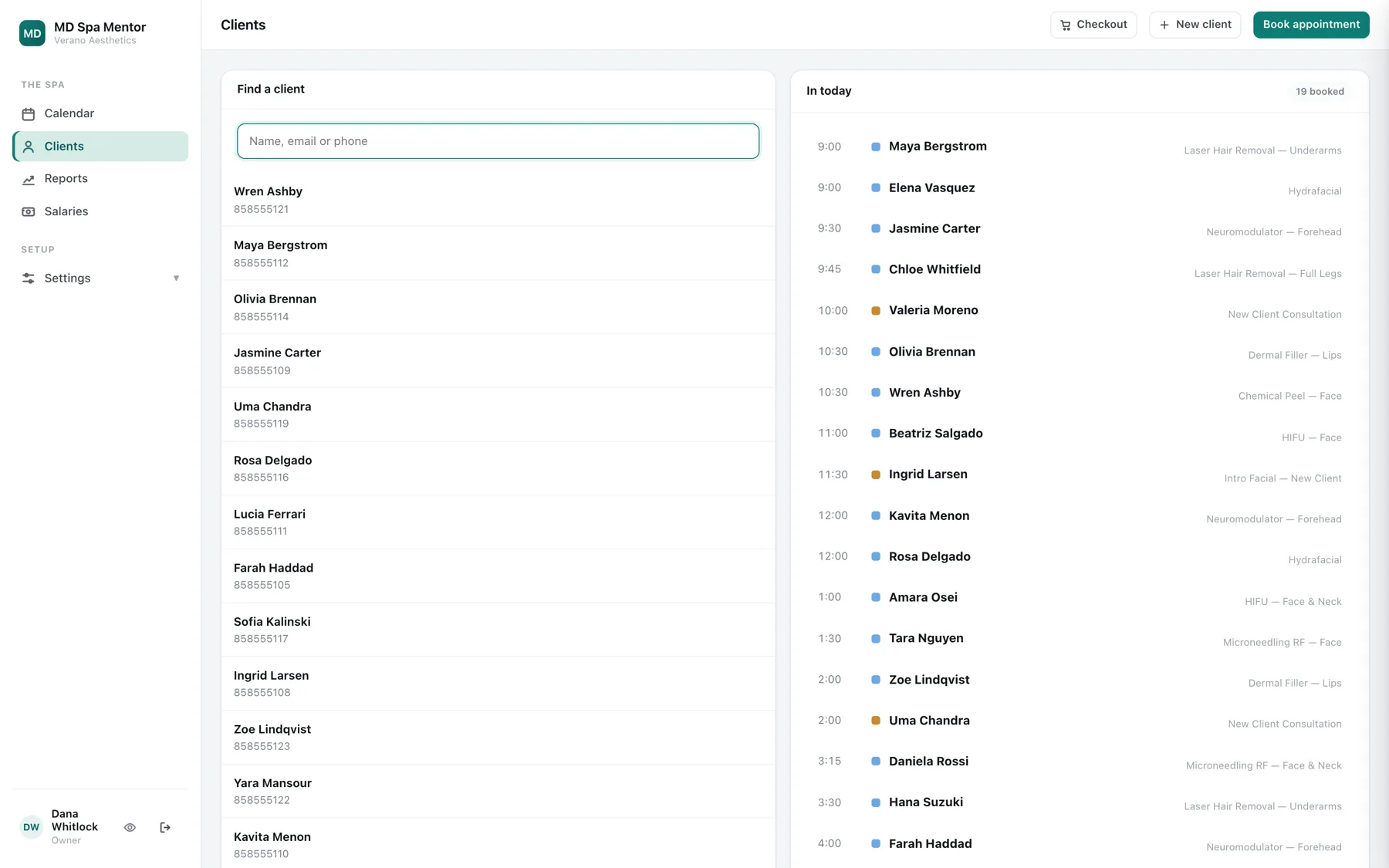
Everything about a client, in one place.
History, packages with sessions remaining, photographs, files, signed consent and the clinical note. Not five systems that disagree with each other.
- Search by name, email or phone
- Packages show sessions remaining, and what is still owed in unused ones
- Pregnancy, blood thinners and a pacemaker are flagged on the profile
- Photographs and files live on the client, not in a folder somewhere
- Imported notes keep their line breaks, so a call log stays readable
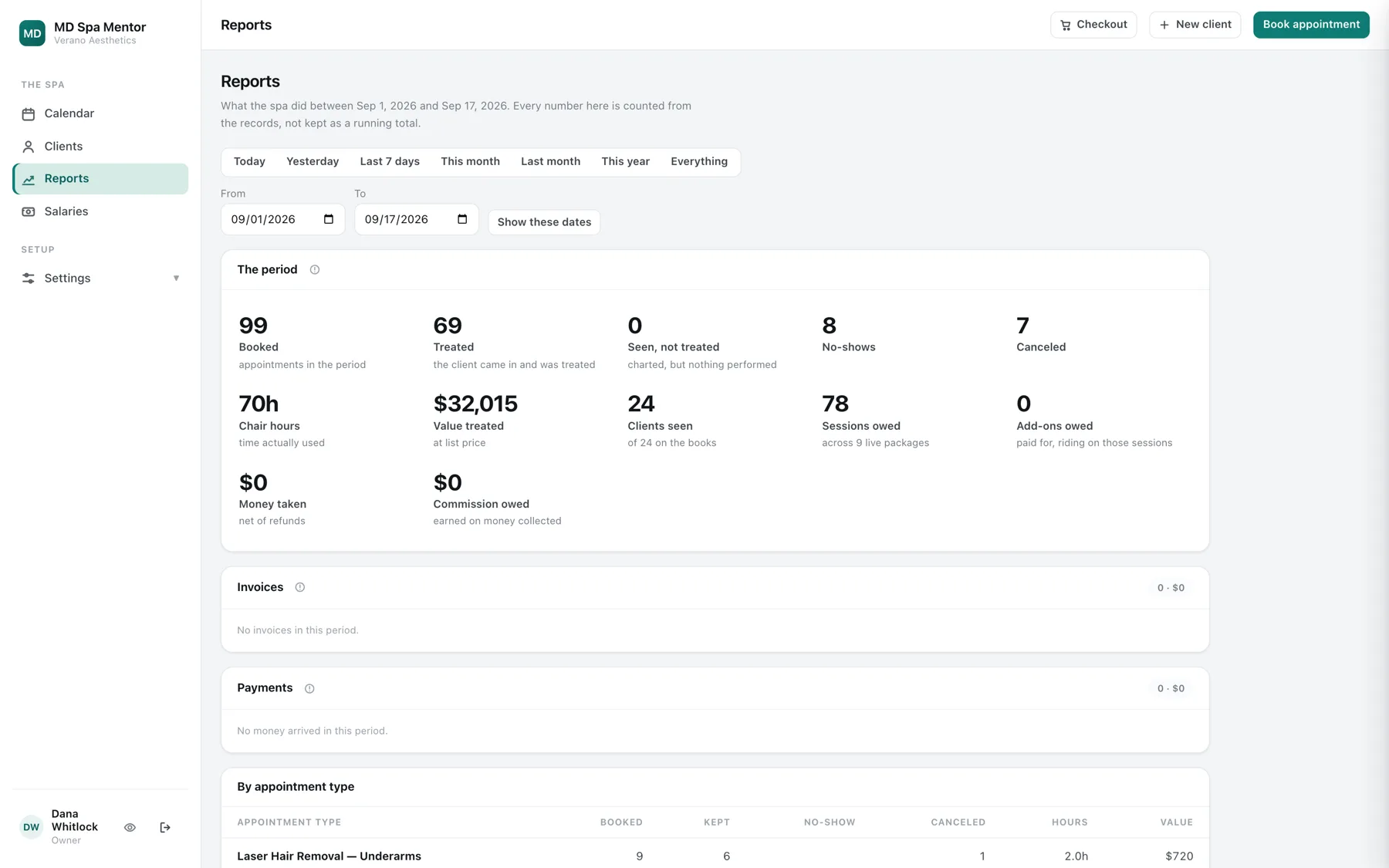
Know exactly where your money is.
Never a running total that drifted two years ago and nobody noticed. Every figure traces back to the payment behind it.
- Booked, treated, seen but not treated, no-showed and canceled
- Chair hours actually used, against value treated
- What you still owe in sessions people have already paid for
- Commission per person, per period, on money actually collected
- Your lender's real fee per payment method, so commission is not quietly wrong
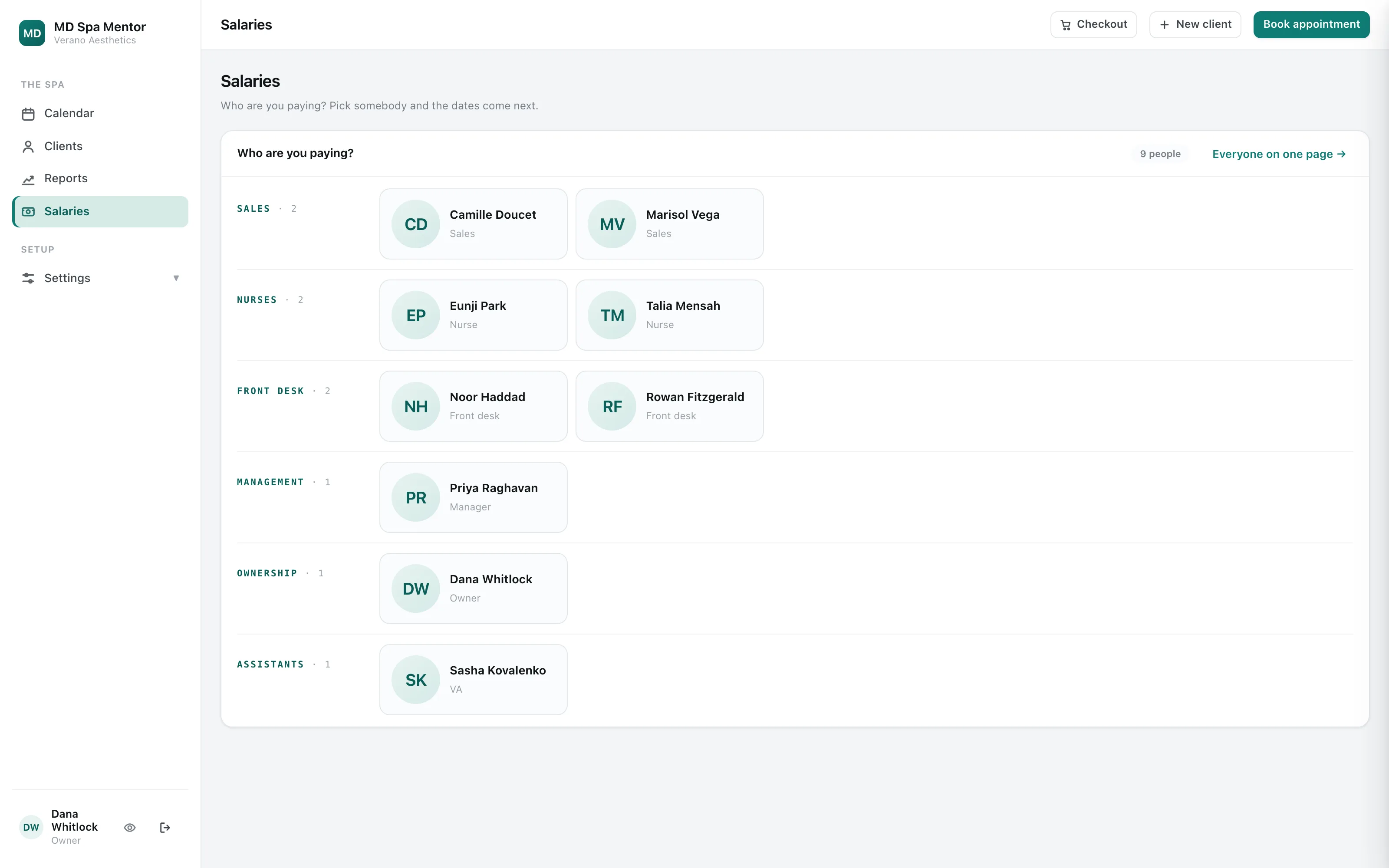
Give everyone exactly the access they need.
Name every job the way you name it, and choose what each one can do, one permission at a time. Give one person more without changing it for everyone else.
- Name the role the way your spa names it, not the way we do
- Every permission is a switch, and you can put any of them back to the default
- Override one person without changing the role they hold
- The owner keeps the permissions that matter most, so access cannot quietly widen
- Look at the app as another role, to see exactly what they see, without needing their password
Make your practice the way you want it.
Fully customizable, from the rooms you have to what each person on your team can do. You set it up once, the way your practice actually works, and it stays that way.

The shape of your spa
- Your rooms, as many as you have, named the way you name them
- Your opening hours, and the calendar only shows the hours you are open
- Your treatments, your prices and how long each one takes
- Which treatments need an exam before anyone performs them
- Who treats your clients, which is a separate list from who has a login
How you take money
- The ways you actually take money, not a list we picked
- Your own lender, at the rate you negotiated with them
- Sales tax on or off, and per item, because products and treatments differ
- Commission per person, on the terms you agreed with them
- The policy a client signs at the moment they buy
What a client signs and answers
- Your consent forms, in your own words, not a template
- The medical history you ask new clients, and which answers get flagged
- Whether a form is signed on an iPad or by a link sent before the visit
- How long a signing link stays alive
How it is locked down
- How long idle is too long before somebody is signed out
- Which devices are allowed to sign in at all
- What a virtual assistant is allowed to put on the calendar
- What each role is called, and what each one may do, permission by permission
A small number of permissions stay with the owner, so nobody can quietly give themselves more access than they should have.
Built into every day.
The parts that matter most on a busy Saturday.

Records that hold up
Built to medical board standards. A signed note is never edited; a correction is a dated, signed addendum, and a late entry is never backdated. Consent forms are never edited either. Saving publishes a new version, because a signature has to keep the exact words somebody put their name to.
Consent and intake
Your own wording, signed on an iPad or by a link sent before the visit.
Point of sale
Packages, add-ons, tips, several ways to pay, financing at your lender's real rate, sales tax per item, and a signed receipt. We do not process the card and we take no cut.
The paperwork, done for you
Client treatment quotes, staff compensation offers, a record of services rendered, and dispute responses for the finance companies. All generated from records you already have.
Works on what you already have
The front desk iPad, the laptop in the office, the phone in somebody's pocket. Decide which devices may sign in, how long idle is too long, and get encrypted off-site backups every day. Details on the Security page.